Video
Version 7 can offer, send and receive H.264 video together with audio in one call.
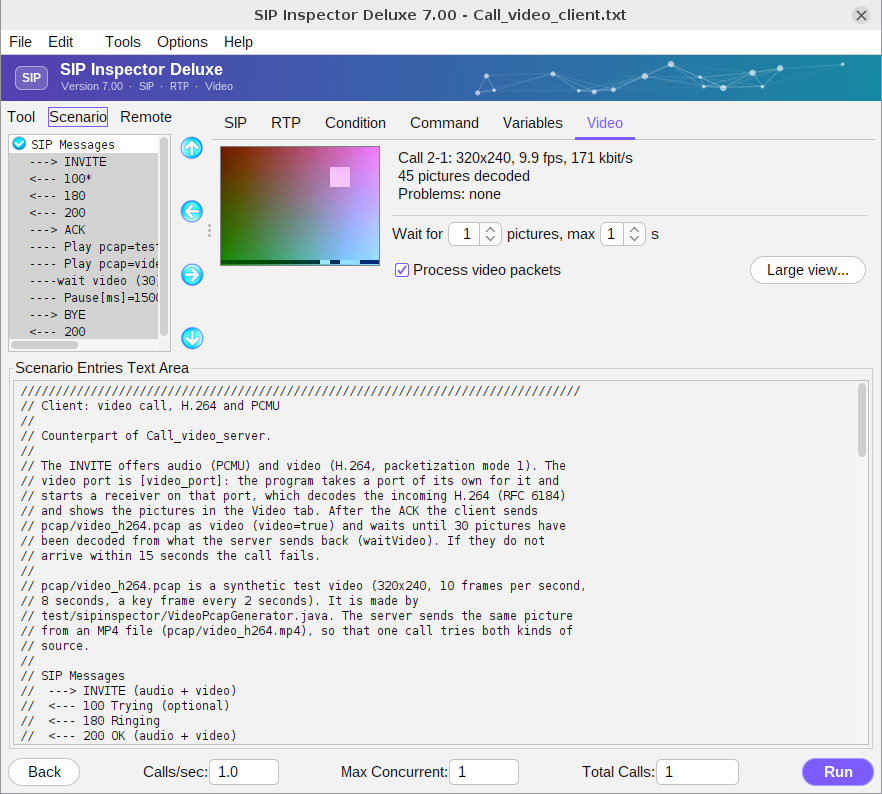
The Video tab
- The picture area and three lines of text show the received stream: size, frames per second, kbit/s, how many pictures were decoded and the problems found (lost packets and the like).
- Process video packets. Decoding takes processing power, so it is off by default: the received video is counted and dropped. The calls still offer a video port, send video and ask the remote side to send it. Tick the box to see the picture. It is the same as the command line option
-pv. - Wait for ... pictures, max ... s with the left arrow adds a Wait video entry to the scenario (the same entry as in the Command tab).
- Large view... opens the picture in a window of its own. The scenario screen has a Video button for the same (it appears when video is processed).
Video in a scenario
Three things make a video call:
- The SDP has a video media line. The keyword [video_port] is the port the program has opened for the video of this call (example below).
- Sending video. A ‘Play pcap’ entry with
;video=truesends a pcap file with H.264 RTP as video. The file can also be an MP4 file with H.264 video: the program reads it and sends the H.264 as RTP packets. Nothing is decoded or encoded for that. The audio of an MP4 file is ignored. - Receiving video. The program starts a receiver on the video port. It puts the packets in order, builds the H.264 pictures (RFC 6184) and decodes them. Wait video holds the call until a number of pictures has been decoded.
The media lines of an SDP with audio and video:
m=audio [media_port] RTP/AVP 0 101
a=rtpmap:0 PCMU/8000
...
m=video [video_port] RTP/AVP 96
a=rtpmap:96 H264/90000
a=fmtp:96 profile-level-id=420028;packetization-mode=1
a=sendrecv
After the ACK a client plays audio and video and waits for the incoming pictures (this is Call_video_client.txt; the server Call_video_server.txt sends its video from an MP4 file):
---> ACK
---- Play pcap=./pcap/test.pcap
---- Play pcap=./pcap/video_h264.pcap;video=true
---- waitVideo=30
---- Pause[ms]=1500
---> BYE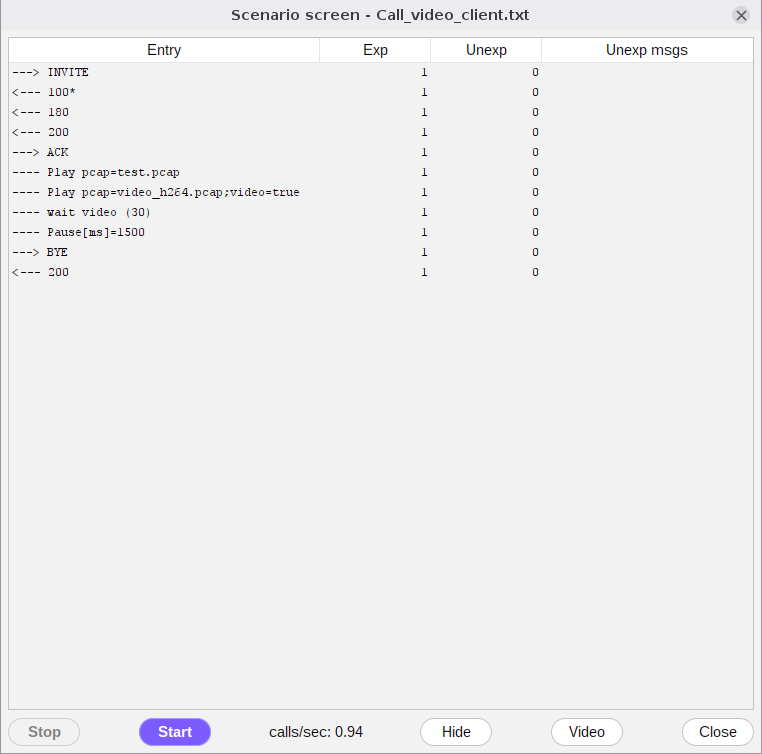
Your own video. Put an MP4 (or MOV) file with H.264 video in the pcap folder and run test/mp4_info.sh pcap/clip.mp4. It tells what the program will send (size, frames per second, length, key frames) and prints the video lines for the SDP of the scenario, with the profile-level-id and the sprop-parameter-sets of that file. Files with another codec, without a key frame, cut off or larger than 200 MB are refused.