SIP tab
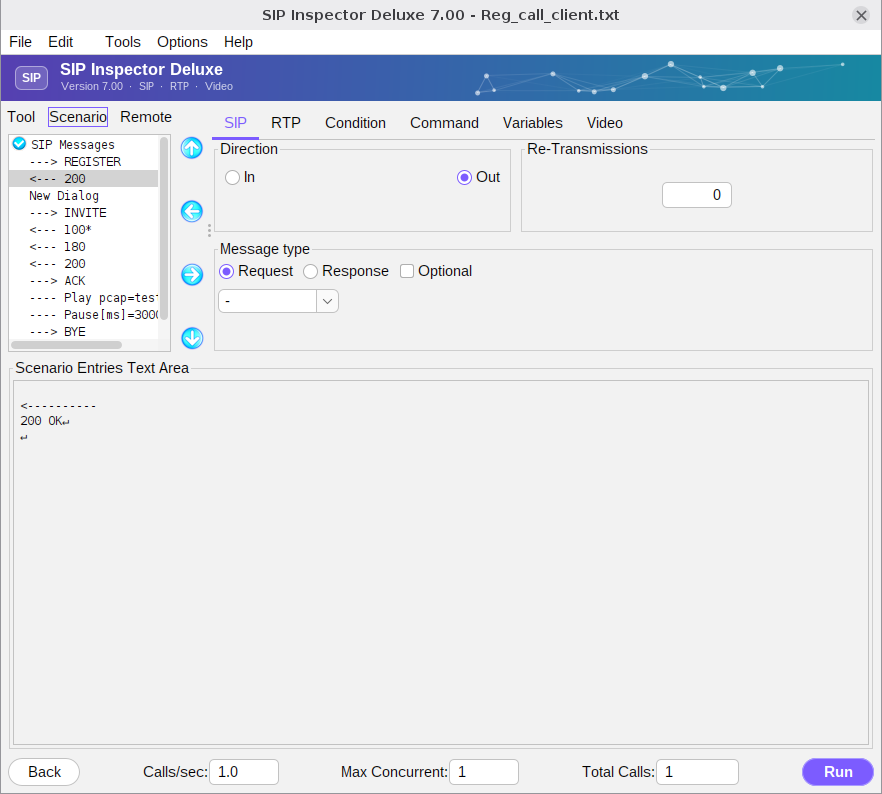
The direction of a SIP message can be In or Out. In means that the program receives the message; in the scenario list it has the ‘<---’ symbol. Out means that the message is sent to the remote server or to the remote target and is marked ‘--->’. Sometimes it is not known in advance how the remote side will respond. That is why optional messages exist: they hint to the tool that a message may or may not come in. Optional messages are marked with an asterisk.
For example, this scenario covers both the case of a server that challenges the REGISTER and the case of a server that simply answers 200 OK:
---> REGISTER
<--- 100*          // optional response
<--- 401*          // optional response
---> REGISTER*     // sent only if an optional response was received
<--- 200
Msg type is a drop-down list of the standard requests and responses. It does not limit you: to create your own request or response delete the offered text and type the wanted one. Re-Transmissions tells the tool how many times to retransmit the message if no response is received (at most 7). Retransmissions follow the RFC timers: 0.5, 1, 2, 4, ... seconds.
Every SIP message of a scenario is a block of plain text, as it goes on the wire, with keywords where a value changes from call to call:
---------->
INVITE sip:[toUsername]@[remote_ip]:[remote_port] SIP/2.0
Via: SIP/2.0/[transport] [local_ip]:[local_port];branch=[branch]
From: <sip:[fromUsername]@[local_ip]:[local_port]>;tag=[call_number]
To: <sip:[toUsername]@[remote_ip]:[remote_port]>
Call-ID: [call_number]@[local_ip]
CSeq: [cseq+1] INVITE
Max-Forwards: 70
Content-Type: application/sdp
Content-Length: [len]

v=0
...