TLS
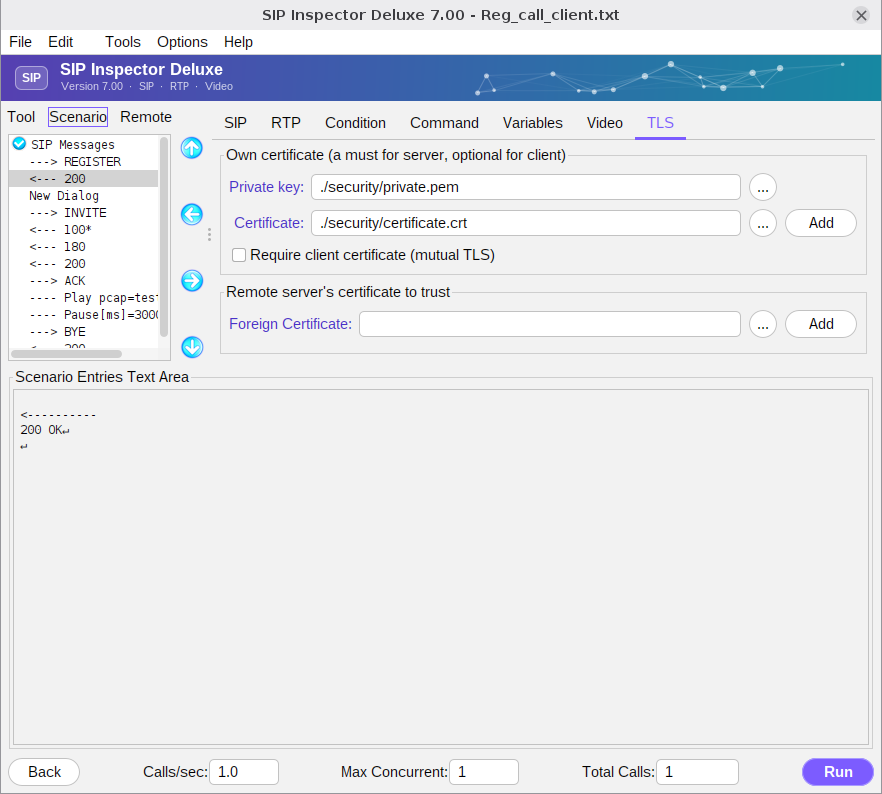
The TLS tab is presented only when the transport is WSS (secure WebSocket) or TLS. Both need public/private keys and a certificate. All security material is kept in the security folder: the keys, the certificate, a keystore (SIPInspKeystore.jks) and a truststore (SIPInspTruststore.jks). The keystore holds the private key and the certificate of the program; the truststore holds the certificates of remote servers that you choose to trust. If remote certificates are signed by a CA it is not required to add them to the truststore. Both stores can hold several certificates.
If the program runs as a server, its private key and certificate must be added to the keystore. When the keys and the certificate are generated by SIP Inspector this is done automatically; otherwise use the Add button of the tab (or -addCrt). The certificate has to be added only when it changes. Check client certificate forces a server to verify the certificate of the client.
As a client the program trusts self-signed certificates by default, so the remote server's certificate does not have to be added. If something is wrong, delete SIPInspKeystore.jks and SIPInspTruststore.jks from the security folder: that removes everything the program knows about certificates.