Buy a license
Pay once by card. The license is for one computer.
Version 7
One download: the serial number you buy decides the edition. A higher edition can be bought later for the same computer, for the difference in price, and its serial replaces the old one.
Upgrades from version 6
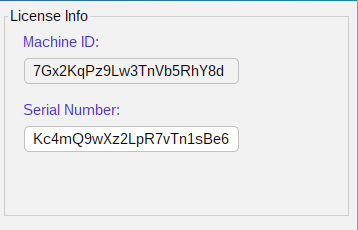
Your version 6 Machine-ID and serial number are checked (they are in the email of your version 6 license, and in version 6 itself). Each version 6 license can be upgraded once.
Version 6
Version 6.XX
SRTP, G.729, multiple dialogs per scenario and 300+ calls per second.
Your Machine-ID
The license is tied to the computer it is bought for, so include its Machine-ID when you pay. The program shows it on its first screen, and ./SIPInspDlx -m prints it on the command line (Windows: SIPInspDlxCLI.exe -m). Please copy and paste it rather than typing it.
The serial number appears on the screen right after the payment, and it is emailed to you as well. Your invoice (PDF) comes with it, ready for your accounting.
Taxes and invoices
Payment is in US dollars (USD) only. Checkout charges the price in USD in every country; if your card is in another currency, your bank converts it.
The price is final: no VAT, GST or sales tax is added. The seller is an individual in Canada who is not registered for VAT, GST or sales tax, so none is charged.
Businesses in the EU, the UK and other countries: at checkout tick I'm purchasing as a business and enter your company name and VAT (or other tax) number. Your invoice then shows them with the reverse charge note: you account for the VAT yourself, as for other services you buy from outside your country.
Buyers in the United States: no sales tax is charged; the seller does not collect US sales tax. Where your state has a use tax, it is yours to report, as for other software bought from outside the state.
Buyers in Canada: no GST/HST is charged; the seller is a small supplier who is not registered for GST/HST.
The invoice (a PDF marked paid, with the Machine-ID and serial number) is attached to the email with your serial number, and can be downloaded from the page you see after paying. It shows your company, billing address, tax number and purchase order (PO) number if you give one, the price, the tax line (0.00) and the payment.
Questions about an invoice: sales@sipinspector.com.