Manual › Running, reports and more
Unconditional RTP streaming
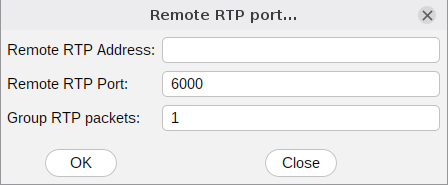
SIP Inspector can send RTP to a remote destination without any SIP signalling. Go to Options/Remote RTP..., fill in the address and the port, and create a scenario that has only a Play pcap entry and the needed pause. Press Run and the tool streams RTP to the remote RTP destination. It is useful to test how a SIP endpoint handles two RTP streams: the wanted one and the ‘noise’ it gets from an external and unwanted source. Make sure Calls/sec = 1 and Total Calls = 1. On the command line use -rtp_ip and -rtp_port.
---- Play pcap=test.pcap
---- Pause[ms]=60000