Self-signed certificate
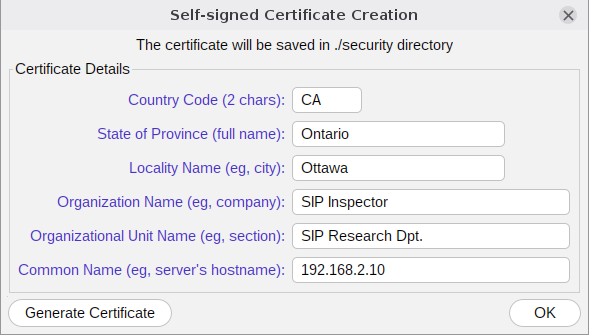
To create a self-signed certificate use Tools/Security Certificate (or -genCrt). The screen is pre-populated. The important part is the Common Name: it must be the FQDN or the IP address of the server that the certificate is made for. The keys must exist first: generate them with the tool above. Pressing Generate Certificate and then OK creates certificate.crt in the security folder and puts the key and the certificate into the keystore. The program calls the keytool program that comes with Java for this, so keytool must be found on the PATH.
The program checks what it is given: a certificate that does not match its private key is refused and no keystore is made from it, and a truststore that is damaged is left as it is instead of being overwritten.